In my early years in audio, I witnessed the rise and fall of the AM-FM receiver, first in vacuum tube mono and later in solid state stereo. Some of them grew to be behemoths, supporting multiple inputs, equalizers, dual speaker zones, and powerful amplifiers. When radio sources receded in popularity and with the rise of CDs, cable TV, and DVD, radio receivers were replaced by A/V receivers in the mainstream market.
Today, the ascension of streaming as the conduit for both audio and video content has nudged these, too, from the center stage. One can stream content from the bewildering variety of products with internet access including cell phones, smart TVs, almost any computer, and of course, dedicated streaming devices from the cheap-and-cheerful to seriously audiophile. If your music is on the web or on a NAS, many of these will let you browse for it, find it, and play it.
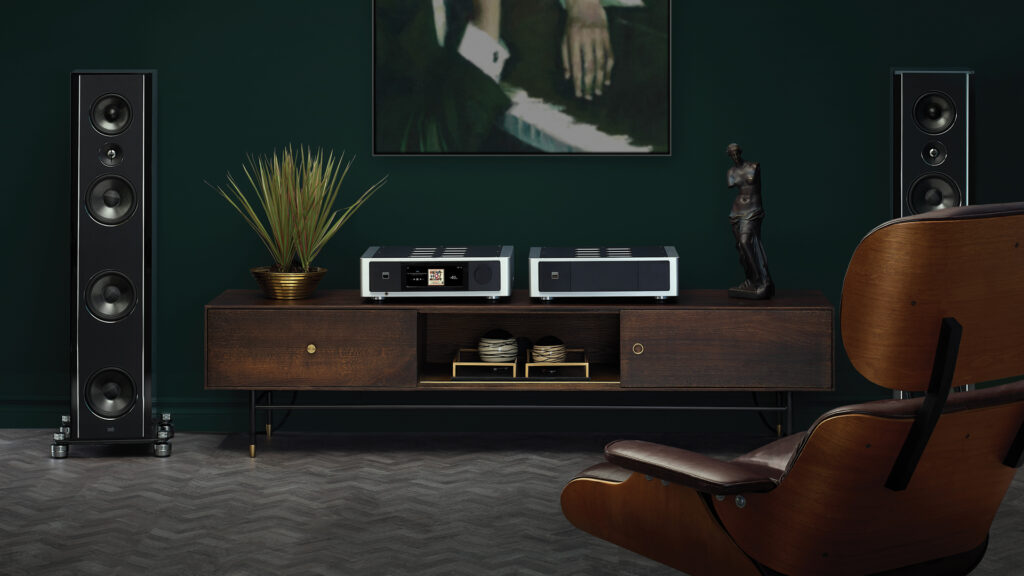
Like the M33 integrated amplifier, the NAD M66 is, as is the result of that evolutionary pattern, or a variant of it, integrating sophisticated streaming options with a modern, multiple input/output preamplifier complete with D/A (and A/D) conversion, DSP, bass management, and room correction, not to mention MM/MC phono inputs. It differs from those classic AM-FM receivers, though—and from its predecessor the M33—in offloading amplification to a dedicated amplifier. It also expands the array of inputs, outputs, and features relative to its immediate predecessor (the M33) and its evolutionary forebears.
NAD calls the M66 a DAC-Preamplifier. The DAC portion is implemented with ESS’s current flagship DAC chip, the Sabre Pro ES9038PRO, an eight-channel device capable of converting PCM up to 32/768kHz and DSD up to DSD256. In the M66, all eight channels are used for the main L and R stereo, which operate at 24/192 PCM; DSD need not apply. Two additional devices—Texas Instruments PCM5122 stereo DAC chips—are employed for the four subwoofer outputs. Other significant M66 features include a precise resistor-ladder volume control for analog signals and full-spectrum Dirac Live room correction with Bass Control. NAD has also included what they call Dynamic Digital Headroom (DDH). When enabled during D/A conversion, it is said to eliminate distortion due to digital intersample peak clipping (“intersample overs”) that can occur with oversampling and sudden high-frequency, high-level transients. This has the potential to render percussion instruments in particular more realistically.
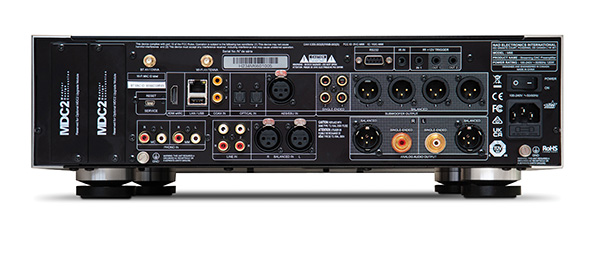
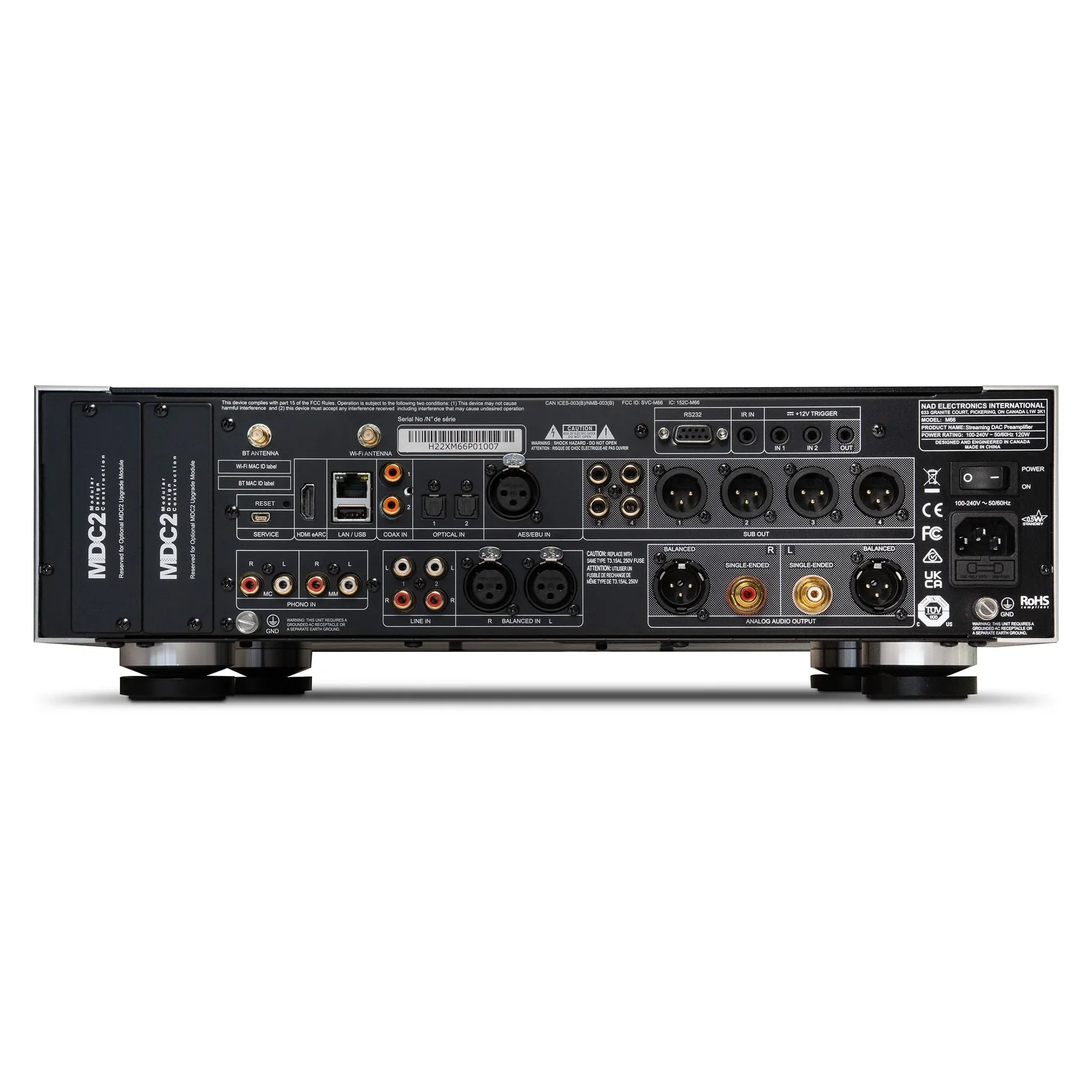
The M66’s back panel shows off the range of the M66 as preamplifier/controller. Scanning the connectors from left to right and starting with the digital inputs across the top, we see first two wireless inputs (Bluetooth and Wi-Fi antennas), then HDMI/eARC, LAN, USB, two RCA and two optical (TosLink) S/PDIF, and a single AES3. Below these are the analog inputs: MM Phono and MC Phono on RCA, two pairs of single-ended line inputs on RCA, and one pair of balanced line inputs on XLR. On the right side there are three tiers. The top tier has an RS232 control interface, an IR input, two 12V trigger inputs, and a single 12V trigger output; all the triggers are 1/8″ miniplugs. The middle tier has RCA and XLR outputs for four subwoofers. The bottom tier has a pair of RCA and a pair of XLR line-out connectors. To the extreme right is a power block with On/Off switch, an IEC socket, a line fuse, and a grounding post. There are two expansion slots on the extreme left, although it’s hard to imagine a pressing need for them.
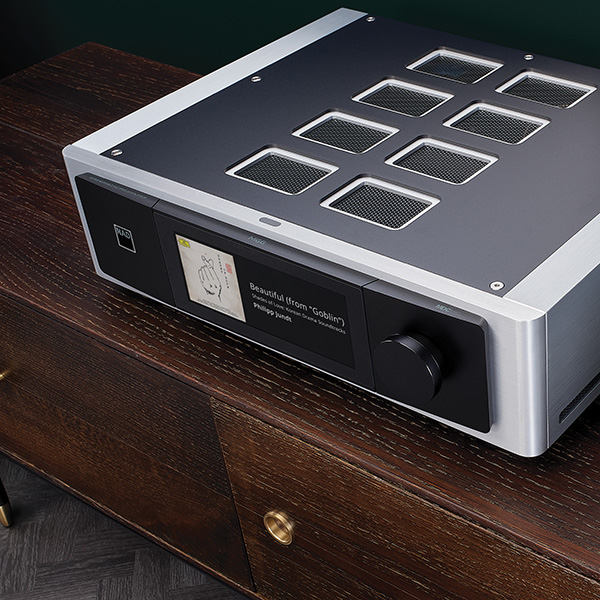
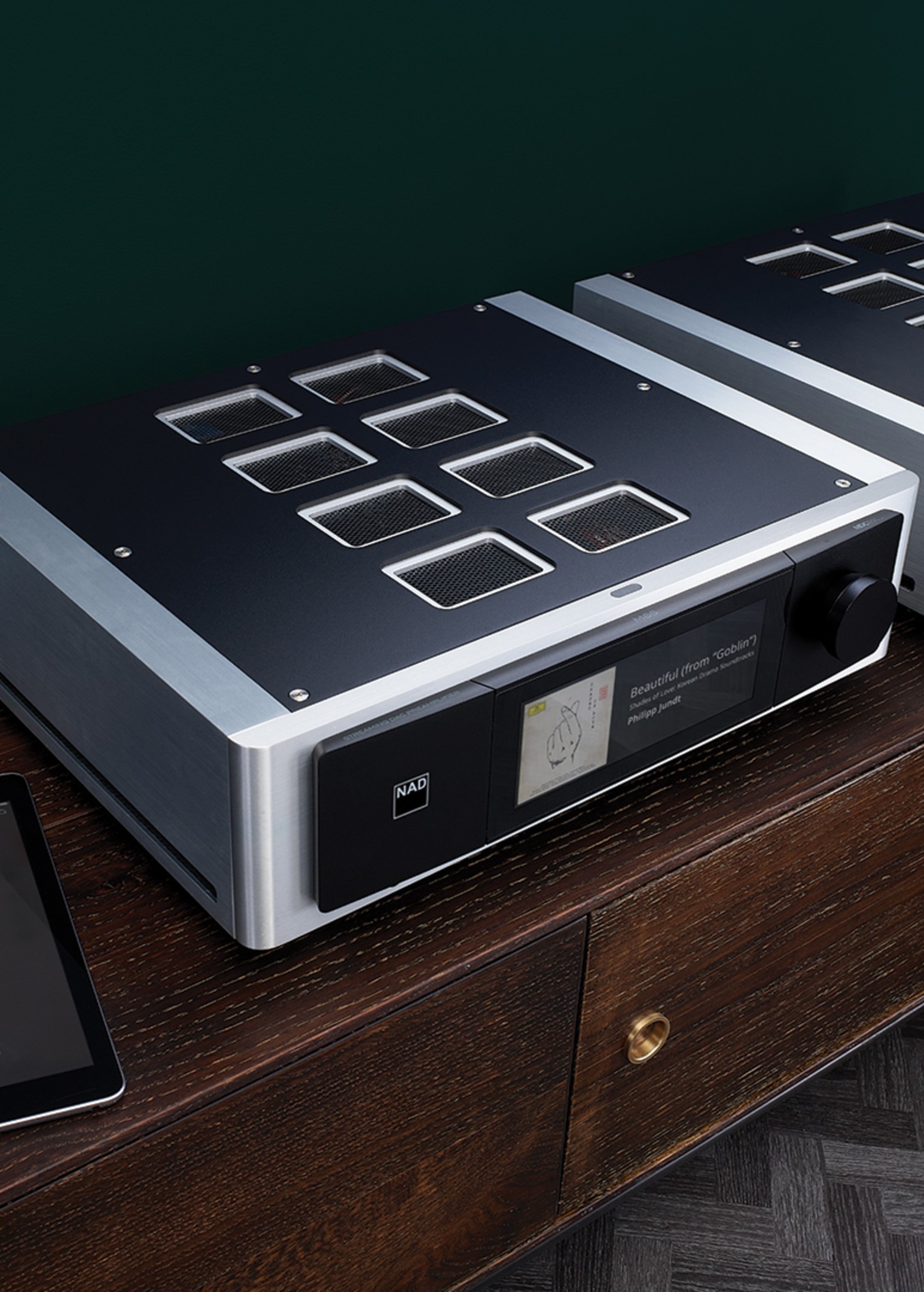
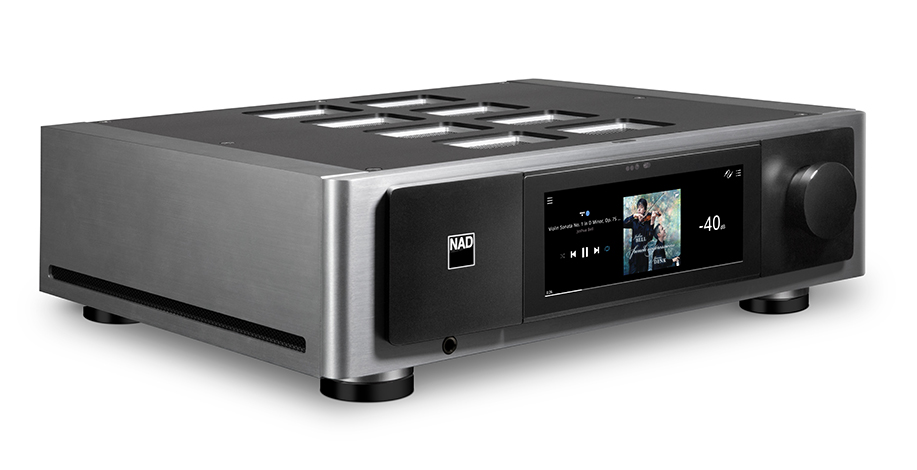
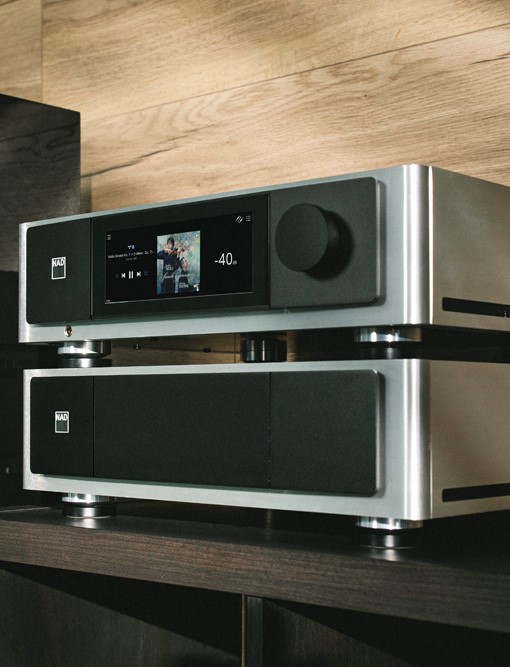
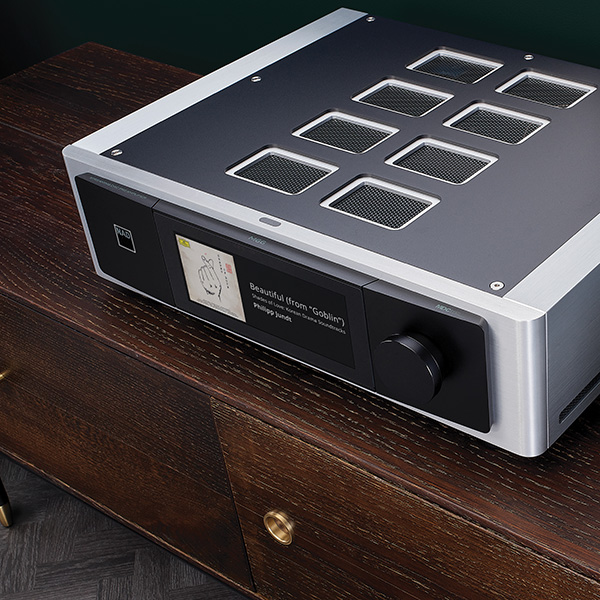
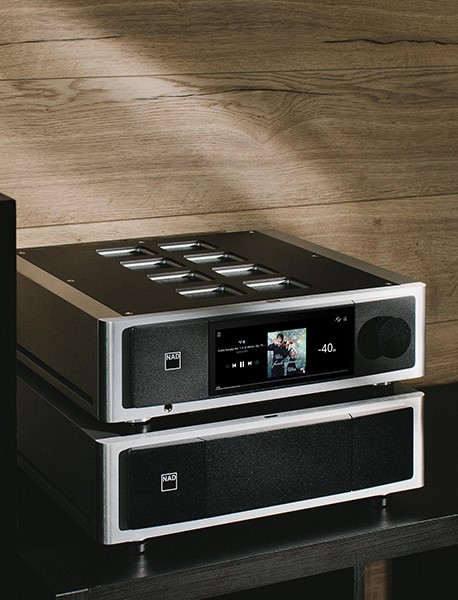
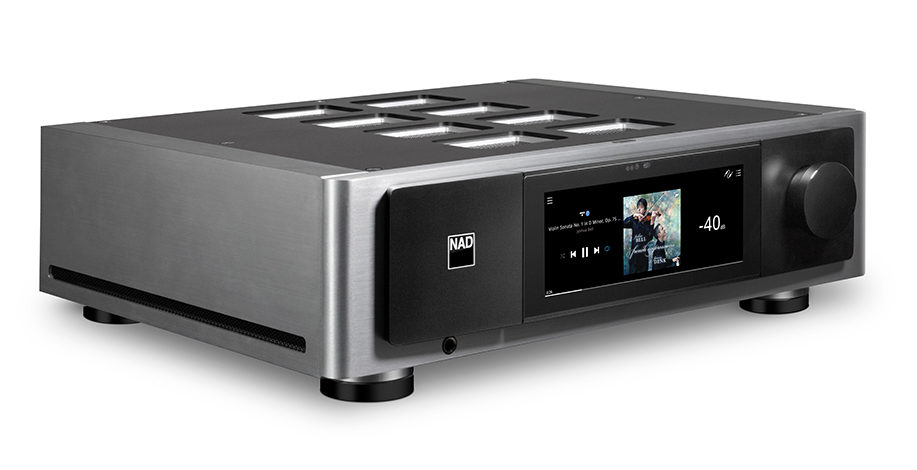
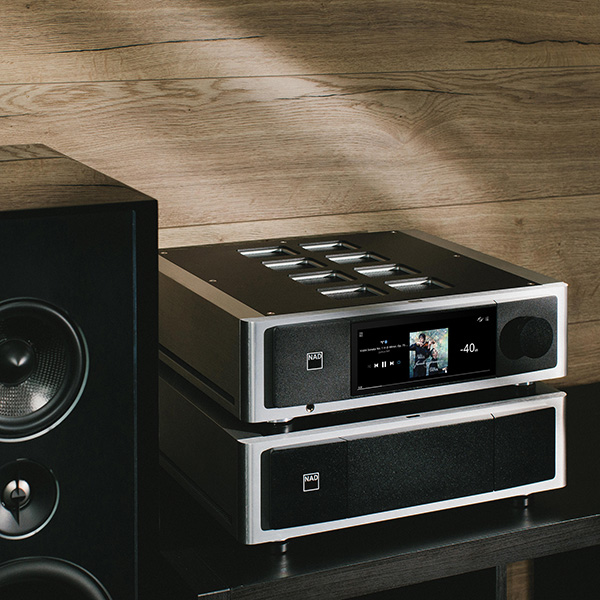
The front view of the M66 is very clean—deceptively so for a device with so much going on. At the front center of the top panel is the On/Standby button; an illuminated NAD badge on the left side of the front panel turns from amber to white when the power is on. Directly below that is a ¼” headphone jack. On the right is a large, smooth, slightly overdamped volume/control knob. Center stage is a 7″ full-color touchscreen that displays album art, track/album information, and volume level, and facilitates basic playback controls (Play, Pause, Forward, Back). The large touchscreen also lets you select an input and access the playback queue and settings menus.
This works great if you sit within arm’s reach. Fortunately, there are convenient alternatives, including a remote control (footnote 1), though the most practical and comprehensive is the BluOS app, which can run on a computer or any iOS or Android device. The app readily loaded and played my local library and accessed a reasonably wide array of streaming sites. However, it ignored my DSD/DFF tracks (footnote 2).
I did not have time to become fully comfortable with the BluOS system, but apart from the DSD glitch, it seemed to work fine for music playback. My preference for playing music was Roon, but it was easy to use it along with BluOS for settings. With both loaded on all my devices—my main PC/Server, iPhone, and iPad—I could use whichever device was at hand.
I began using the M66 by connecting its line outputs via balanced (XLR) cables to my Benchmark AHB2 amps, which drove my KEF Blade Two Meta loudspeakers. Later, I added a pair of KEF KC92 subwoofers via two of the RCA sub outputs. In addition to the wired LAN, Wi-Fi, and Bluetooth links, I utilized my PC server, which runs both Roon and JRiver, via my Merging Hapi II to make more direct physical connections with both the AES3 digital input and the balanced analog inputs of the M66. For the rare occasions when I needed to spin a silver disc, I plugged my Oppo 103 into the RCA or TosLink inputs. Over the course of the review period, I was able to try many but not all of the M66’s physical and network connections.
Straight stereo
Before running Dirac or turning on the subwoofers, I turned on the amps and the M66 and ran through a dozen or so familiar recordings just to get a feel for how things worked and to see (or, rather, hear) if there were any audible surprises. I did this in three ways, running the M66 as a Roon Ready endpoint (via a wired network connection), using Roon to control the music and the Hapi for digital conversion, sending the Hapi’s analog output to the M66’s balanced analog input, and, finally, by using Roon to send output from the Hapi’s AES3 output to the M66’s AES3 input.

There were no surprises. When I listened to familiar stuff like Ligeti’s Six Bagatelles for Wind Quartet (Harmonia Mundi, 905370DI, 24/96 download) and “Tambourine” from Sol & Pat (Alpha Classics Alpha 757, 16/44.1 PCM download), the instruments, their overall balance, and the soundstage was what I heard when running the D/A output of my Merging Hapi direct to the power amps. The sound was clean with notable delineation of instruments and a nice sense of space appropriate to each recording. This tells me that the DAC in the M66 is superb, and the analog path through the M66 is transparent.
This quality of reproduction was best characterized by a recent recording of Dutillieux’s Tout un monde lointain… for cello and orchestra (Victor Julien-LaFerriere, Orch. National de France, David Robertson. 16/44.1 PCM download, Alpha Classics Alpha 886). This is a lovely, vigorous performance served by an equally lovely recording in which the solo cello is up front and just a bit left of center stage, while the orchestra is spread wide and distinctly farther back. The subtle beginning, in which the cellist rubs the strings lightly, is barely audible (as it should be) (footnote 3). Within seconds, its presence becomes quite clear. As the orchestra come in to fill the stage, the distinction between cello and orchestra remains, as clear as it would be from, say, Row G.

I do not think I have previously had an experience like the one I had with the M66, in which three quite different modes of signal transmission and processing proved equally satisfying. It is important to note that, while the M66 does possess an Analog Direct mode, by default this is defeated and the analog input is digitized at 24/96. In Analog Direct, the signal remains analog from input to output.
You might think it reasonable to make Analog Direct (footnote 4) the default setting, but doing so thwarts all DSP functions for the analog inputs. With Analog Direct selected, you cannot use tone controls, bass management, or Dirac Live with those analog inputs. It also eliminates the L/R balance control.
I expected, reasonably I think, that the loss of such functions would be offset by removal of an audible veil or two resulting from redundant A/D/A conversion (footnote 5), but that expectation wasn’t met: Exhaustive A/B comparisons failed to crown a winner. I had the consistent impression that the Analog Direct pathway was a little more relaxed and open, but I could not consistently determine whether it was engaged without a direct A/B comparison. Perhaps it matters that all my sources are digital; if you use analog sources, you may have a different experience.
Some of the functions lost with Analog Direct enabled are significant. I don’t care about tone controls or Balance, but the loss of Dirac—which, for one thing, is by far the best way to integrate subwoofers—is regrettable.
Turning to the digital inputs: DDH turns out to be a winner. Clipping due to intersample overs is not a new discovery; its cause and its solutions are well documented (footnote 6). It can coarsen treble details with, eg, cymbals or high-brass partials.
Footnote 1: I have little to say about the remote control. Yes, it can control volume, the brightness of the NAD icon, power on/standby, and mute. It can also pause/resume play and advance track forward or back. There is a potentially useful button which, with each push, steps through the five available Dirac filters and Dirac OFF, but there is no display on the RC or the front panel to indicate the current status. (Great for blind tests!) There are 10 programmable buttons for presets, but there is no way, until programmed, for it to select inputs or to remind the user what each button does.
NAD’s documentation does not tell us what specific solution they implement—normally it’s a simple matter of reducing the maximum level by a dB or two—but testing it is easy, since you can switch it on and off in the BluOS app. I pulled up a classic recording of Stravinsky’s L’histoire du Soldat recorded in 1956 for Westminster Records, with Robert Mandell conducting Ars Nova (an all-star ensemble) and Stanley Drucker and Herbert Sorkin playing the crucial clarinet and violin parts. It’s a transfer from two-channel tape to digital (24/96 FLAC High-Definition Tape Transfers HDTT10464). It is brilliant, up-front, in-your-face, and startling. Along with that goes a tendency, depending on your system and ears, for the extreme treble to seem too much and, at times, not as transparent as the rest. I’ve learned to accept that flaw to delight in all the rest.
Played by Roon through the M66 and the rest of my system, the recording was as exciting as ever. Was the treble tamed? I didn’t know whether DDH was on or not by default, but it turns out it was off. I turned it on mid-play, and there you go: Same great stuff, but all the treble was now as sweet and clear as Herb Sorkin’s violin. Cymbal sound was pristine. The trumpet still had its edge, but it was clean. This sold me on DDH.
The utility of DDH was also revealed with massed voices and massed brass. It is not uncommon for groups of voices recorded in reverberant spaces, as they often are, to blend too well—for a whole choir to present as a single, opaque voice. Take Samuel Barber’s “Twelfth Night” as sung by Conspirare directed by Craig Hella Johnson (An American Romantic, Harmonia Mundi HMU807522, SACD rip). The singing is faultless, but switching in DDH revealed greater texture in all the voices, indicating that in removing some distortion, resolution is improved. The same can be observed with “The Americus Brass Band Pays Tribute to James Reese Europe’s Harlem Hellfighters Band” (Cambria Master Recordings CD-1263 CD rip).
From beginning to end, the DDH tweak added a little frisson that made me smile.

Why add subs?
Since my apartment renovation, I have been less than completely satisfied with the midbass and upper-bass performance of the KEF Blade Two Metas in the renovated space. They measure okay, but there is a slight leanness between the excellent low end and the clear and present midrange and treble. The M66 supports up to four subwoofers and includes a full-bandwidth license for Dirac Live Bass Control that can optimize low-frequency in-room response with multiple subs. Adding the subs and DLBC seemed the obvious next step, not to extend the low end but to achieve a more linear in-room response.
But which subs? Paired with the full-range KEF Blade Twos, the KEF KC92s fit the bill aesthetically and functionally better than more massive subs. (My review of the KC92 will appear in the January 2025 issue of Stereophile.)
The M66 (via the BluOS app) supports up to four subwoofers and allows you to set the crossover frequency from 40Hz to 200Hz; no control is provided for level or crossover slope, although the former can be accomplished with the level control on the subwoofers themselves.
Using the subs this way, I did gain a bit of bass impact, but integration with the Blades wasn’t optimal. Despite a fair amount of fiddling with position, crossover frequency, and level, the upper and midbass were still not as I had hoped, and the location of the subwoofers in the room remained obvious. To properly integrate subwoofers with main speakers and the room requires DSP tools (footnote 7). Fortunately, the M66 includes a full-range implementation of Dirac Live.
Time for Dirac
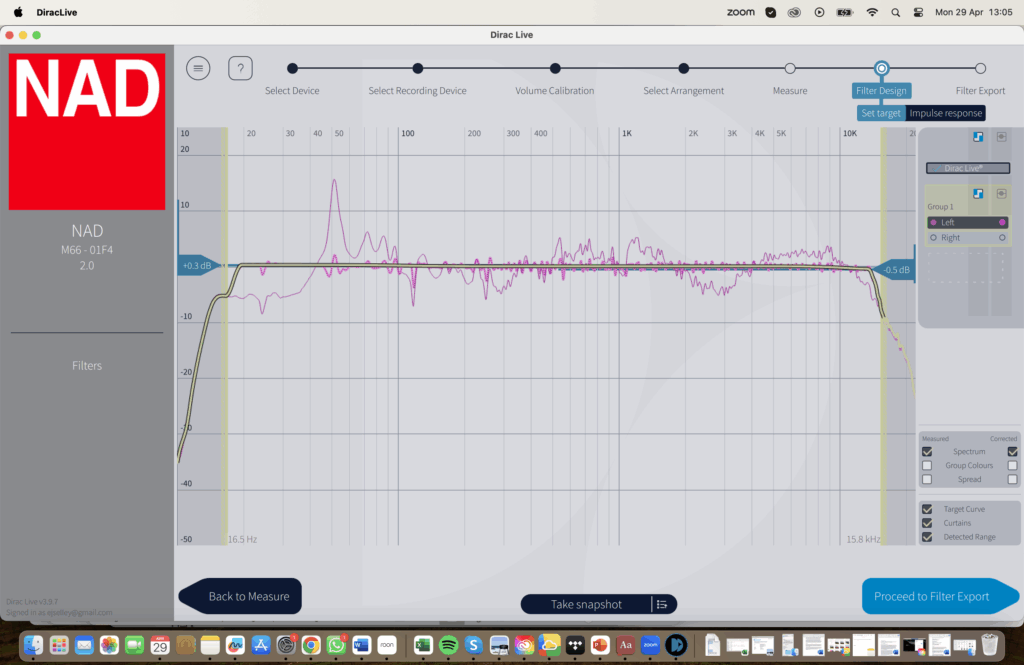
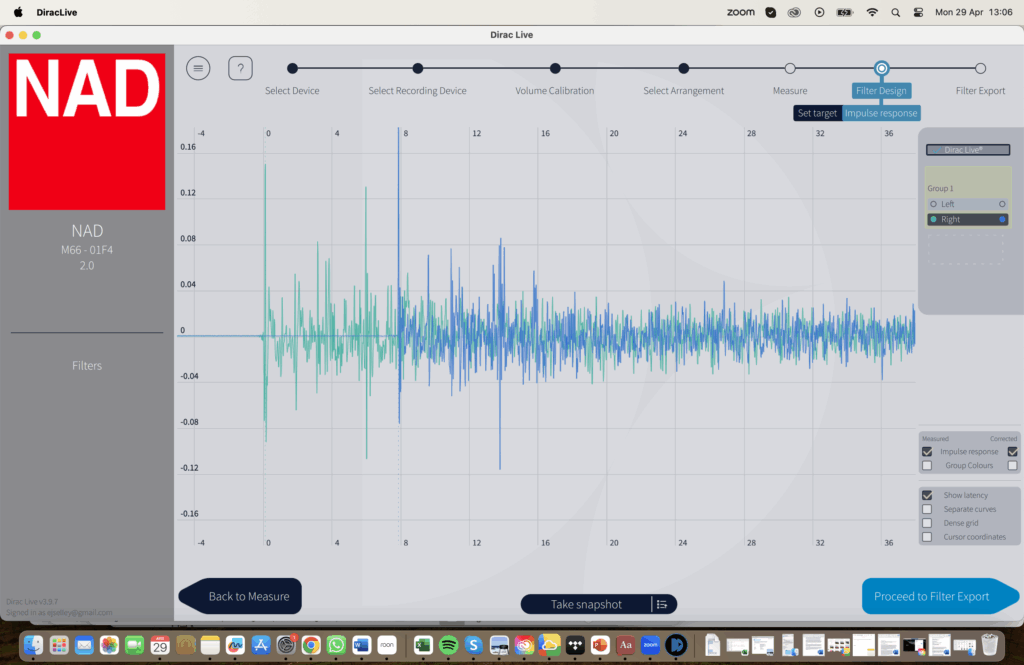
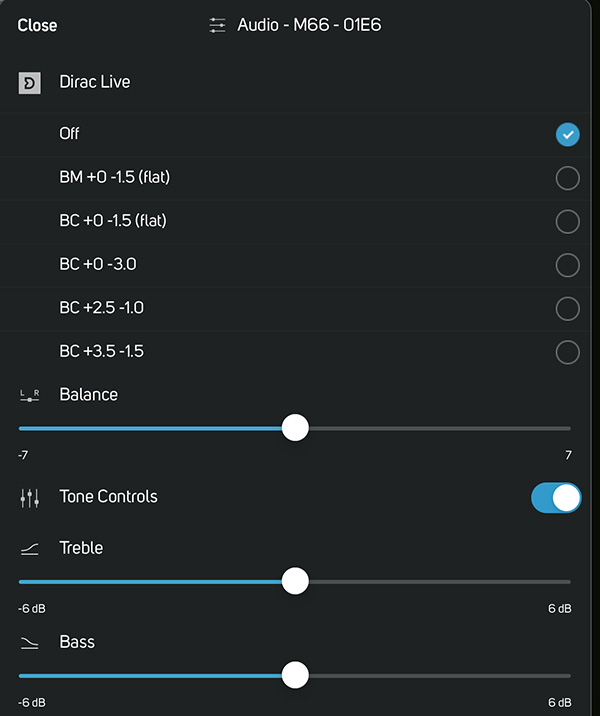
The M66 comes with a USB microphone and is fully equipped for Dirac Live Bass Control. To run Dirac, one need only open a free online account at Dirac and download the appropriate app for your LAN- or Wi-Fi–connected PC, Mac, Apple, or Android device. Connect the microphone (footnote 8) to the M66’s USB port and open the app; it will locate the M66 and guide you through the setup procedure. This went smoothly, but then I’ve done it before, and I was only setting up two main speakers and two subwoofers—much simpler than setting up my multichannel system. If this is your first time, read and follow all the help notes as you go and be scrupulous in making measurements. Along with an appropriate target curve, a good set of measurements is essential for developing an effective correction filter.
This procedure often requires experimentation even for veterans. Listen to familiar music with your new filters and experiment. Create new filters (using the same measurement set) based on your experience and keep working at it until you’re completely satisfied.
By varying the target curve (a suggested one is included on the USB drive NAD provides), I created five correction filters on my first pass, three new ones on the second pass, and two more on the third. I loaded my final selection (plus bypass) into the M66. I settled on a relatively conservative but consistently satisfying one: Crossover at 70Hz, no bass lift (supposedly flat to 16Hz!) with a gentle treble rolloff to –3.0dB at 20kHz. This process took less than two hours, mostly spent listening and deciding.
Now, having resolved any niggling balance issues with Dirac and become comfortable managing the M66 with my iPad to switch between setup/control (BluOS) and streaming/playback (Roon), the fun really began. I spent many happy hours listening, first with my Benchmark amps and later with a NAD M23, the obvious NAD-recommended mate. I started with (and often returned to) one of my real favorites, a recording of Benjamin Britten’s Variations on a Theme by Frank Bridge by the Trondheim Soloists (Reflections, 2L Records 2L-125-SABD, Blu-ray+SACD. DSD rip). This has been, so far, my favorite recording of the six I have, but I was stunned by what I now heard. The “Introduction and Theme” begins with two plucked notes from the cellos; the bass fiddles bow in on the second note. The basses growl as the rest of the strings swirl upward, reaching an emphatic climax before melting into the body of the movement.
With the M66 and Dirac Live running the Blade Two Metas and the two KC92 subwoofers, that opening was powerful and startling. The two plucked notes sounded like an arrow launched and hitting a bull’s eye. The power of the bowed basses was palpable, their position wide right is almost graphic. That heroic flourish of the cellos, violas, and violins is incandescent. And that’s only the first 45 seconds!
Further thoughts
Comparison with my reference configuration suggests that the M66, even with DDH, seems marginally less detailed than what I experience with the Merging Hapi feeding the amplifiers directly. I might prefer one or the other depending on the program material. The suave simplicity of the Grimm MU2, which I reviewed in August, is an entirely different experience and does not compete with the M66’s wide feature set. The M66’s most obvious competitor is its stablemate, the M33. Aside from the inclusion of an excellent power amplifier, the earlier device lacks DDH (which rapidly became essential to me) and is functionally less capable.
Downsides? I didn’t like the remote control, but using the app with a tablet or smartphone or even a desktop PC was a breeze. NAD’s energy-saving sleep mode puts the M66 into standby after only 15 minutes with no audio signal; I found that too short. The only alternative is to turn it off, so I did. Occasionally, the M66 spontaneously woke up from standby for no apparent reason, then 15 minutes later went back to sleep. Finally, I had hoped to connect a disc player via HDMI; when it didn’t work, NAD support confirmed that “The HDMI connection on the M66 is designed to be used with the output of a TV only.” So beyond basic CD, which you can connect by S/PDIF, etc., the only way to connect a silver disc source—an SACD player, say—is to an analog input.
None of these slight annoyances would prevent me from buying an M66 if it fit my needs.
Conclusions
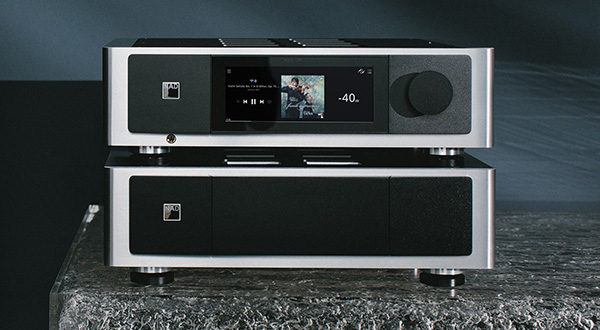
It is hard to think that any user would exhaust the M66’s options. As an analog preamp, as a digital “preamp,” as a DAC, as a room-correction tool, as a Roon endpoint or BluOS-based streamer, its functional and sonic performance is outstanding, and it seems optimal with all sources (though I didn’t try the phono inputs). The learning curve was relatively short, and as I learned to use it, I found it easy to use despite its extraordinary range of functions. The NAD M66 is a tour de force!